> For the complete documentation index, see [llms.txt](https://docs.cebodtelecom.com/llms.txt). Markdown versions of documentation pages are available by appending `.md` to page URLs; this page is available as [Markdown](https://docs.cebodtelecom.com/new/manage-phone-system/messaging-campaign/add-new-campaign.md).
# Add New Campaign
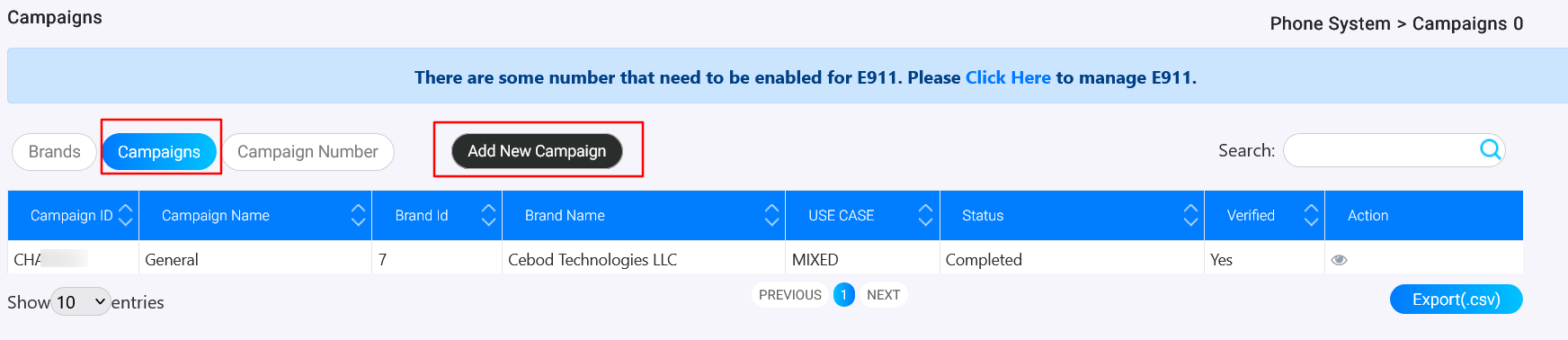
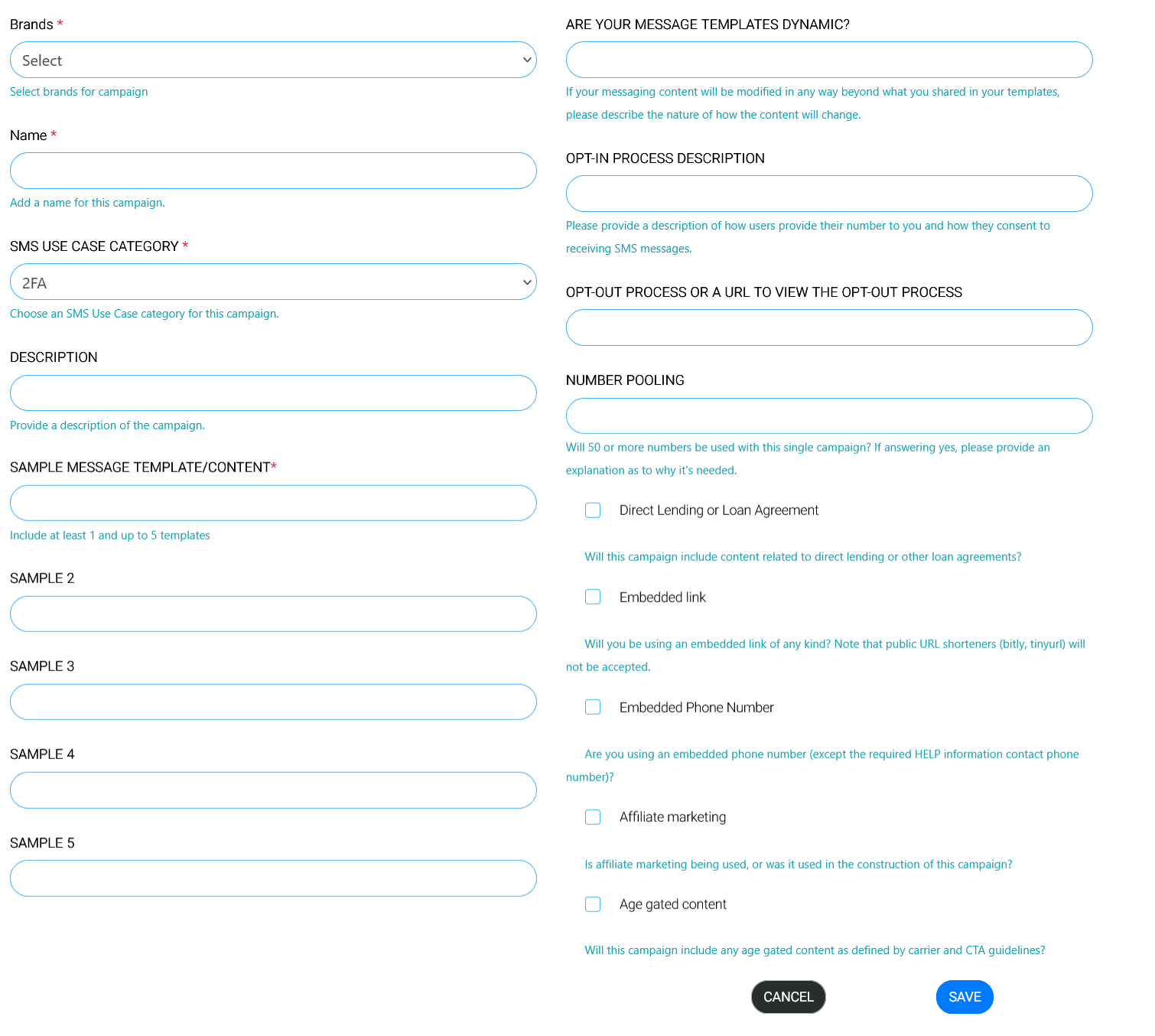
The **Create New Campaign** form allows you to set up and register a new messaging campaign under an existing brand. Each campaign requires detailed information to comply with carrier and SMS regulations. After filling up all the information, press the **"Save"** button for further processing.
***
**Fields**
* **Brands**\*\
Select a brand from the dropdown list of previously created brands.
* **Name**\*\
Provide a name for the campaign.
* **SMS Use Case Category**\*\
Choose the most appropriate SMS use case category for your campaign.
* **Description**\
Enter a detailed description of the campaign.
* **Sample Message Template/Content**\*(Required)\
Provide at least 1 and up to 5 sample message templates for this campaign.
* **Sample 1**
* **Sample 2**
* **Sample 3**
* **Sample 4**
* **Sample 5**
* **Are Your Message Templates Dynamic?**\
If your message content will vary from the submitted templates, describe how it will change.
* **Opt-In Process Description**\
Explain how users provide their numbers and consent to receive SMS messages.
* **Opt-Out Process or URL**\
Describe your opt-out process or provide a URL where users can view details.
* **Number Pooling**\
Indicate if 50 or more numbers will be used with this campaign. If yes, provide an explanation of why number pooling is needed.
***
**Compliance Questions**
* **Direct Lending or Loan Agreement**\
Will this campaign include content related to direct lending or loan agreements?
* **Embedded Link**\
Will you include any embedded links? (Note: public URL shorteners such as bitly or tinyurl are not accepted.)
* **Embedded Phone Number**\
Are you embedding a phone number other than the required HELP contact number?
* **Affiliate Marketing**\
Will affiliate marketing be used, or was it involved in creating this campaign?
* **Age-Gated Content**\
Does this campaign include age-gated content as defined by carrier and CTA guidelines?
***
**Support**
For queries or assistance, please contact [**support@cebodtelecom.com**](mailto:support@cebodtelecom.com).
***