> For the complete documentation index, see [llms.txt](https://docs.cebodtelecom.com/llms.txt). Markdown versions of documentation pages are available by appending `.md` to page URLs; this page is available as [Markdown](https://docs.cebodtelecom.com/new/activities/call-transcription/transcribe-call-enable-call-transcription-by-default.md).
# Transcribe Call / Enable Call Transcription by Default
> **Note: Calls must be recorded in order to use the transcription feature.**
#### 1. Transcribe Calls Manually
If a call has been recorded, you can manually transcribe it from the CDR (Call Detail Records) page:
* Navigate to **Activities > Call Logs (CDR)**.
* Click the **Date & Time** hyperlink of the desired call.
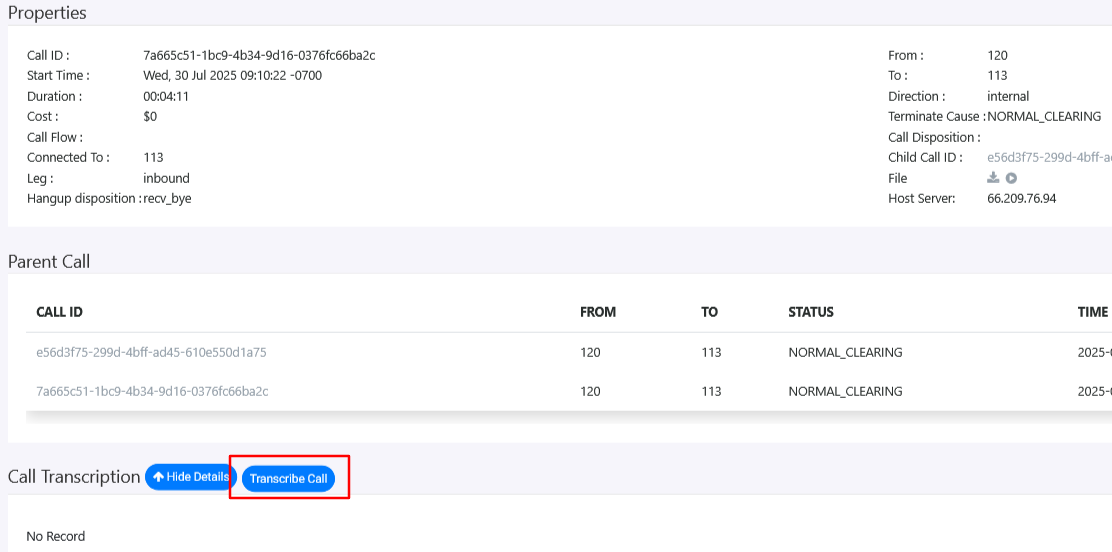
* You will see a **Transcribe Call** option (as shown in the screenshot).
* Click it to generate the transcription for that specific call.
#### 2. Enable Automatic Transcription for All Calls
To automatically transcribe all recorded calls:
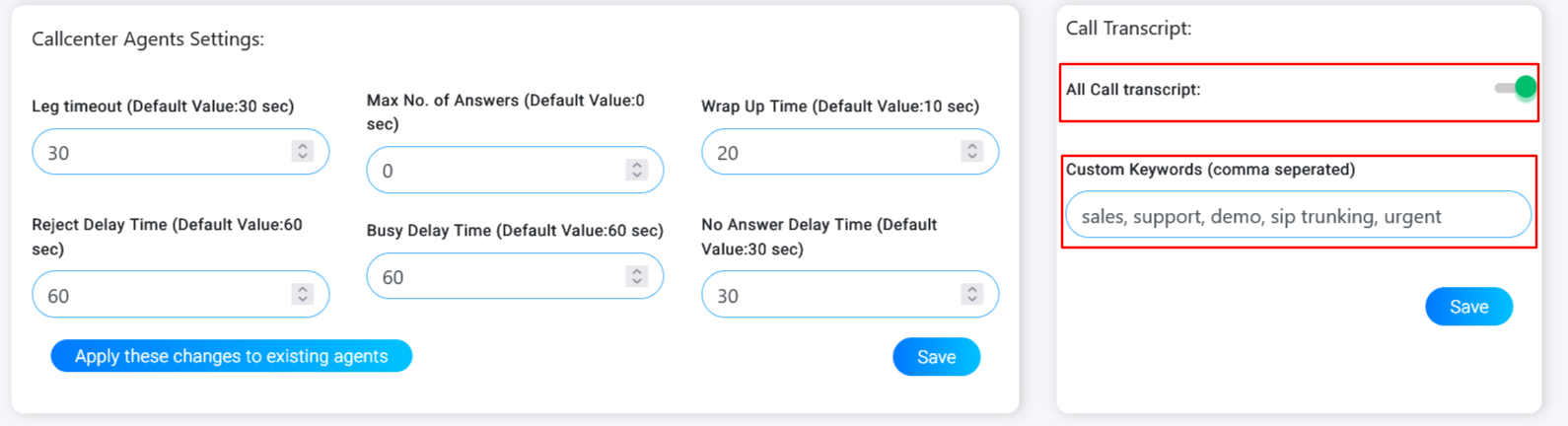
* Go to **Tools > Settings > Global Settings**.
* Enable the option: **Call Transcript**.
* You will also have the option to enable transcription based on one or more **Custom Keywords**.
#### Viewing Transcribed Calls
All transcribed calls can be viewed under:\
**Activities > Call Transcription**